Description
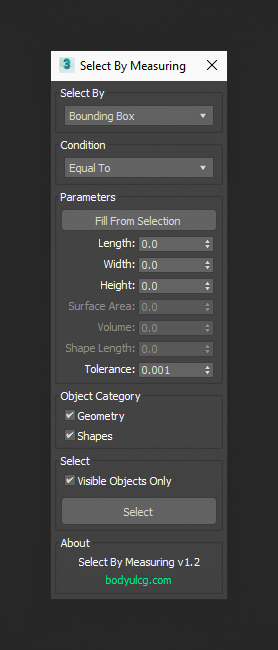
Select By Measuring is a 3ds Max tool that lets you quickly select objects based on precise measurements, including bounding box dimensions, volume, surface area, and spline length. Set your parameters, choose conditions, and instantly select matching objects in your scene. Perfect for organizing complex scenes and speeding up modeling workflows.
Requirements
3ds Max 9 - 2027
Installation
- Unzip the archive
SelectByMeasuring.zip. - Drag
SelectByMeasuring.mcrinto the viewport to install the script. - Open
Customize > Customize User Interfaceand locate it underGroup: Main UI > Category: BodyulCG. - Optionally assign the macro to a hotkey or drag it onto a toolbar for quick access.
Changelog
v1.2
- Added selection of shapes by length.
- Added cancellation of execution by pressing the Esc button./li>
- Improved Select button. Hold CTRL before pressing to add matching objects to the current selection or ALT to remove.
- Improved performance of selecting objects by volume.
v1.1
- Added "Visible objects only" checkbox.
v1.0
- First version.